


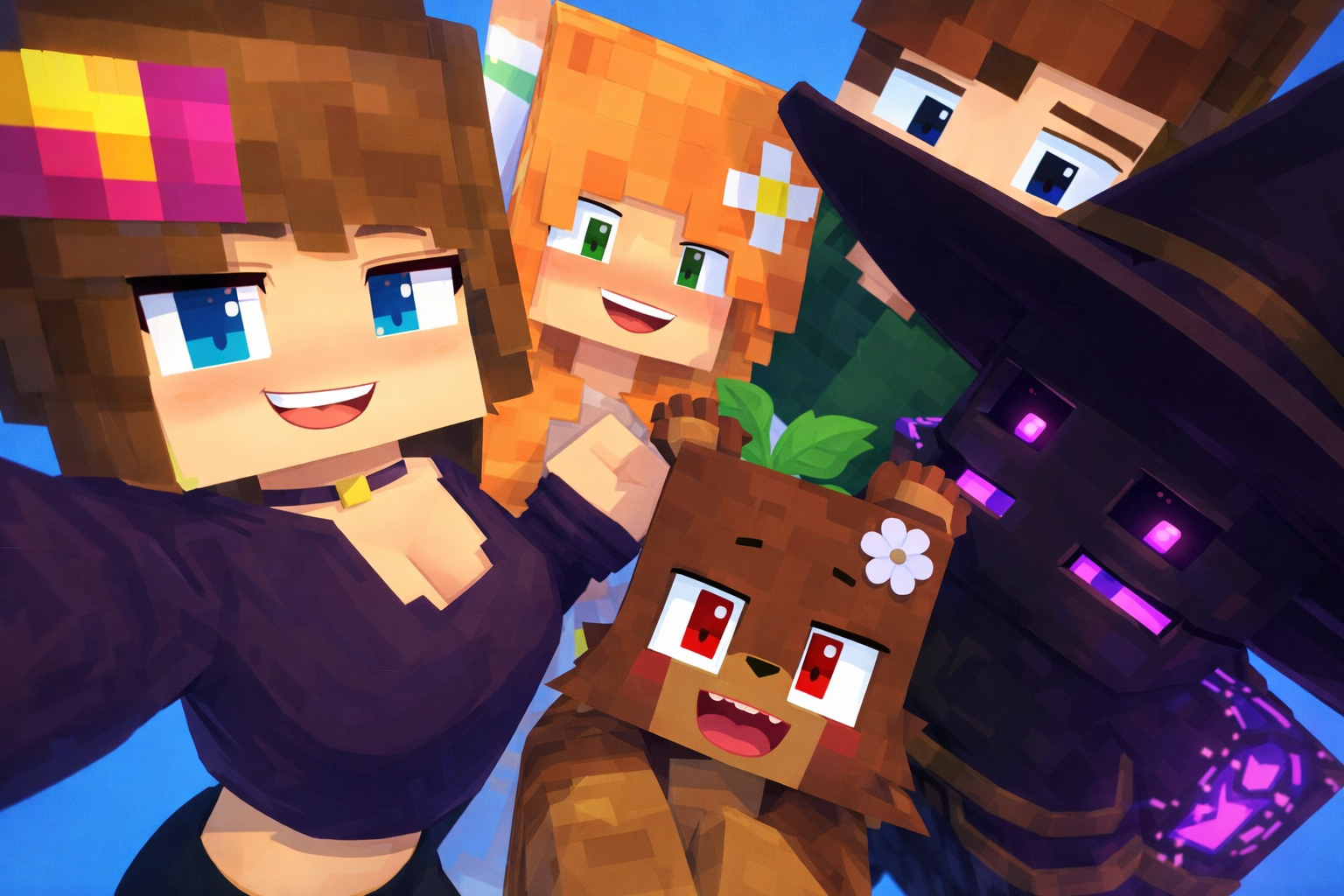
How to install
🧩 Supported Version
✅ Minecraft Java Edition 1.12.2
💻 For PC (Windows)
🆓 Use TLauncher to install Minecraft Java for free
🔗 https://tlauncher.org
📱 For Android 🍎 For iOS :
Jenny MOD – INSTALLATION GUIDE
- Install TLauncher on your PC.
- Select Minecraft 1.12.2 with Forge.
- Launch the game once to generate the mods folder.
- Download the Jenny Mod file.
- Copy the mod file into the Minecraft mods folder.
- Restart the game and check that the mod is installed.
📌 Important Note
🛠️ You must install Minecraft Forge 1.12.2, which is the compatible version for this mod.
All extraction passwords are: jennymodcraft.com
Jenny mod F@pcraft 1.12.2 v1.1.jar download.
How to Change Skin in Jenny Mod Minecraft (Java)
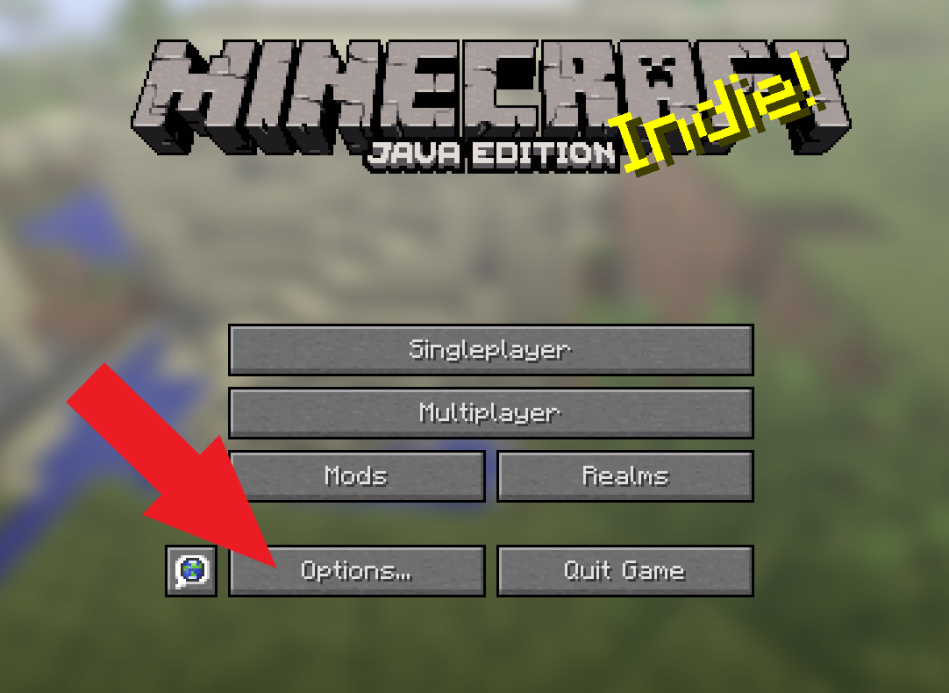
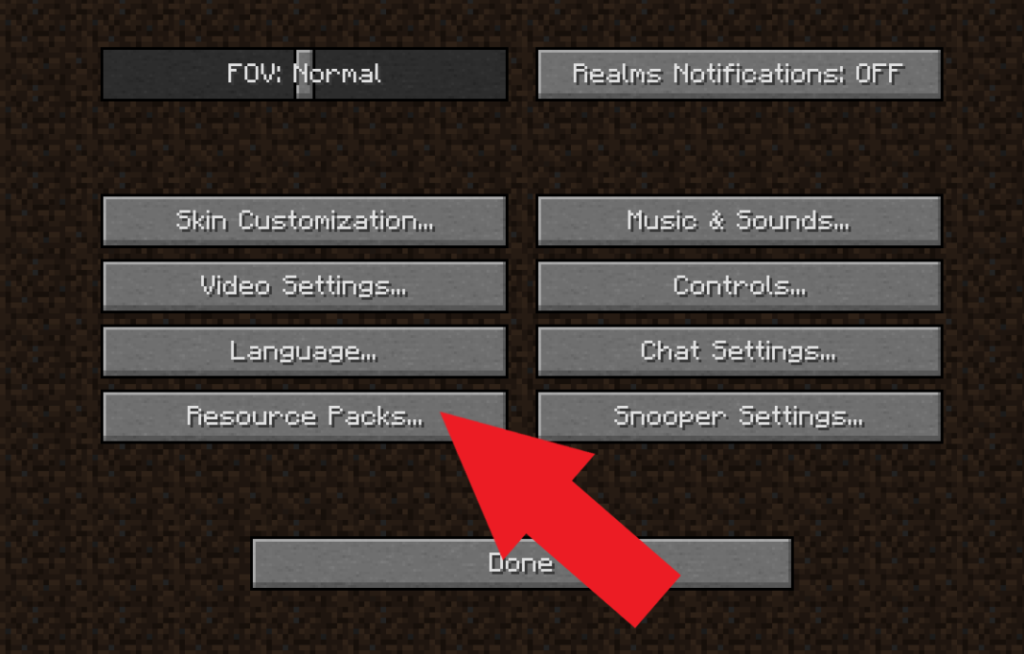
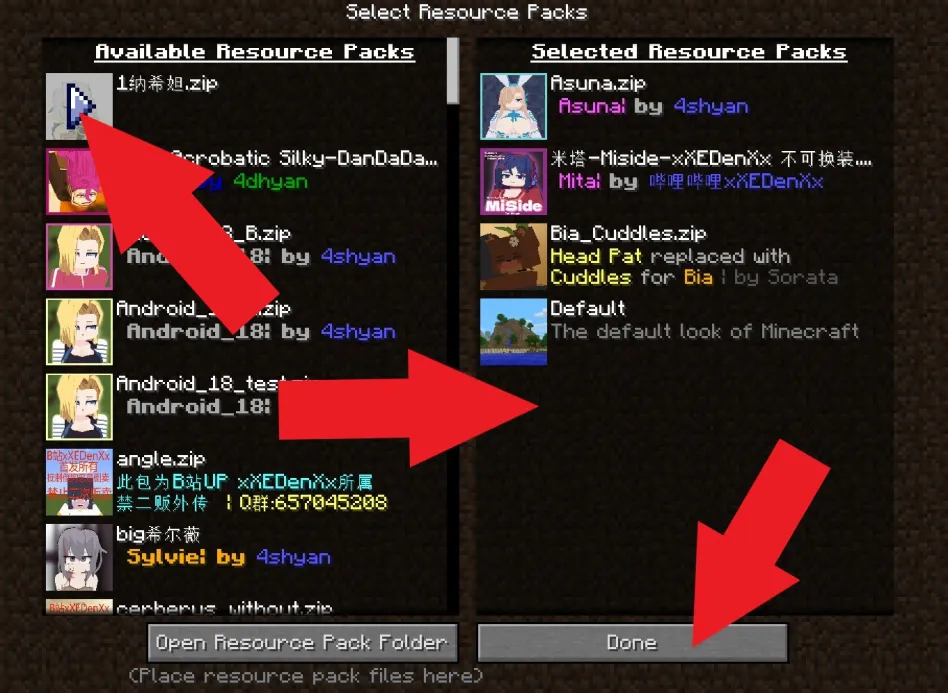
How to Change Animations in Jenny Mod Minecraft (Java Edition)
Changing animations in the Jenny Mod works similarly to installing a skin in Minecraft.
The animation files are added through a Resource Pack, and once placed correctly, they will function automatically in the game.
Simply import the animation files into the resource pack folder, enable the pack in Minecraft settings, and enjoy the new animations in Jenny Mod.