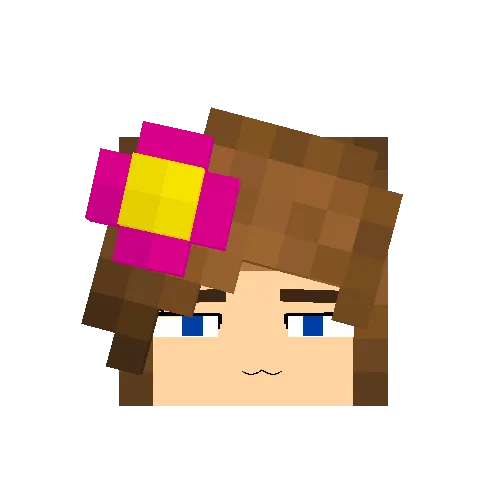



Fern from Frieren: Beyond Journey’s End is a popular anime-inspired character widely used in Minecraft Jenny Mod for skins, roleplay worlds, and fantasy-themed gameplay. Her calm personality and simple mage design make her easy to adapt into Minecraft’s visual style, especially for players who enjoy aesthetic or story-based experiences.
This guide explains who Fern is, why she is popular, and how to install her correctly in Minecraft using a resource pack method.
Table of Contents
Who Is Fern in Frieren: Beyond Journey’s End

Fern is a young mage and apprentice of Frieren. She is known for her disciplined personality, emotional control, and strong magical abilities. Despite her young age, she acts mature and responsible, often serving as the stabilizing presence in her group.
Her design is minimal but elegant, which makes her highly suitable for Minecraft skins and texture-based customization.
Why Fern Works Well in Minecraft
Fern’s design fits Minecraft naturally because it is simple, readable, and not overly detailed.
Players prefer Fern because:
- Her mage outfit is easy to recreate in pixel art
- She fits fantasy and medieval Minecraft worlds
- She works well for roleplay and storytelling
- She looks clean in screenshots and videos
- Her design remains recognizable even at low resolution
This makes her one of the most stable anime characters for Minecraft customization.
Fern Minecraft Skin Style Overview

A typical Fern Minecraft skin includes:
- Long purple or dark lavender hair
- Calm facial expression
- White and dark mage robe outfit
- Simple fantasy-style clothing
- Minimal accessories for clean design
This balance of simplicity and identity is why she is widely used in Minecraft anime communities.
How to Install Fern Using Resource Pack (Correct Method)
Instead of only using a skin upload, you can also install Fern through a resource pack method, which replaces player textures in Minecraft.
Step 1: Download Fern Resource Pack
Find a Fern-themed Minecraft resource pack (usually a ZIP file). Make sure it includes player or skin texture files.
The file should:
- Be in
.zipformat - Contain a folder structure like
assets/minecraft/textures - Not contain any
.exeor installer files
Step 2: Locate Minecraft Resource Pack Folder
Open your Minecraft directory:
- Press
Windows + R - Type:
%appdata%\.minecraft - Press Enter
Then open the folder:
resourcepacksStep 3: Move the File Into Resource Packs Folder
Copy or move the Fern resource pack .zip file into:
.minecraft/resourcepacksDo not extract the file unless instructed by the pack creator.
Step 4: Enable Resource Pack in Minecraft
- Open Minecraft Launcher
- Start the game
- Go to “Options”
- Click “Resource Packs”
- Find the Fern pack in the list
- Click “Activate”
Minecraft will reload textures automatically.
Step 5: Check In-Game
Once activated:
- Enter a world
- Check your player appearance or supported NPC models
- Verify that Fern textures are applied correctly
Alternative Method: Classic Skin Upload
If the resource pack does not change your character, you can still use the normal skin method:
- Download Fern PNG skin
- Upload via Minecraft profile
- Apply and restart game
Gameplay Experience with Fern

Using Fern in Minecraft improves immersion rather than changing gameplay mechanics.
Players often use her for:
- Fantasy survival worlds
- Mage-themed roleplay servers
- Cinematic Minecraft videos
- Anime-style storytelling maps
- Aesthetic world building
Her calm design helps create a peaceful and magical atmosphere.
Safety Tips for Downloading Fern Files
To avoid problems when installing resource packs:
- Only download ZIP resource packs
- Avoid executable files or installers
- Use trusted Minecraft community sources
- Scan files before extracting or activating
- Do not mix multiple conflicting packs
Final Thoughts
Fern from Frieren: Beyond Journey’s End is an ideal anime character for Minecraft Jenny Mod customization. Her clean mage design, calm personality, and balanced color palette make her perfect for both skins and resource packs.
By using the resource pack method, you can integrate Fern into your Minecraft experience in a more immersive and visually consistent way, especially for roleplay or cinematic gameplay.
fern minecraft resource pack, fern frieren skin download, fern minecraft install guide, frieren beyond journey’s end fern minecraft, minecraft anime resource pack mage, fern texture pack minecraft, fern minecraft character setup, anime minecraft skins resource pack