



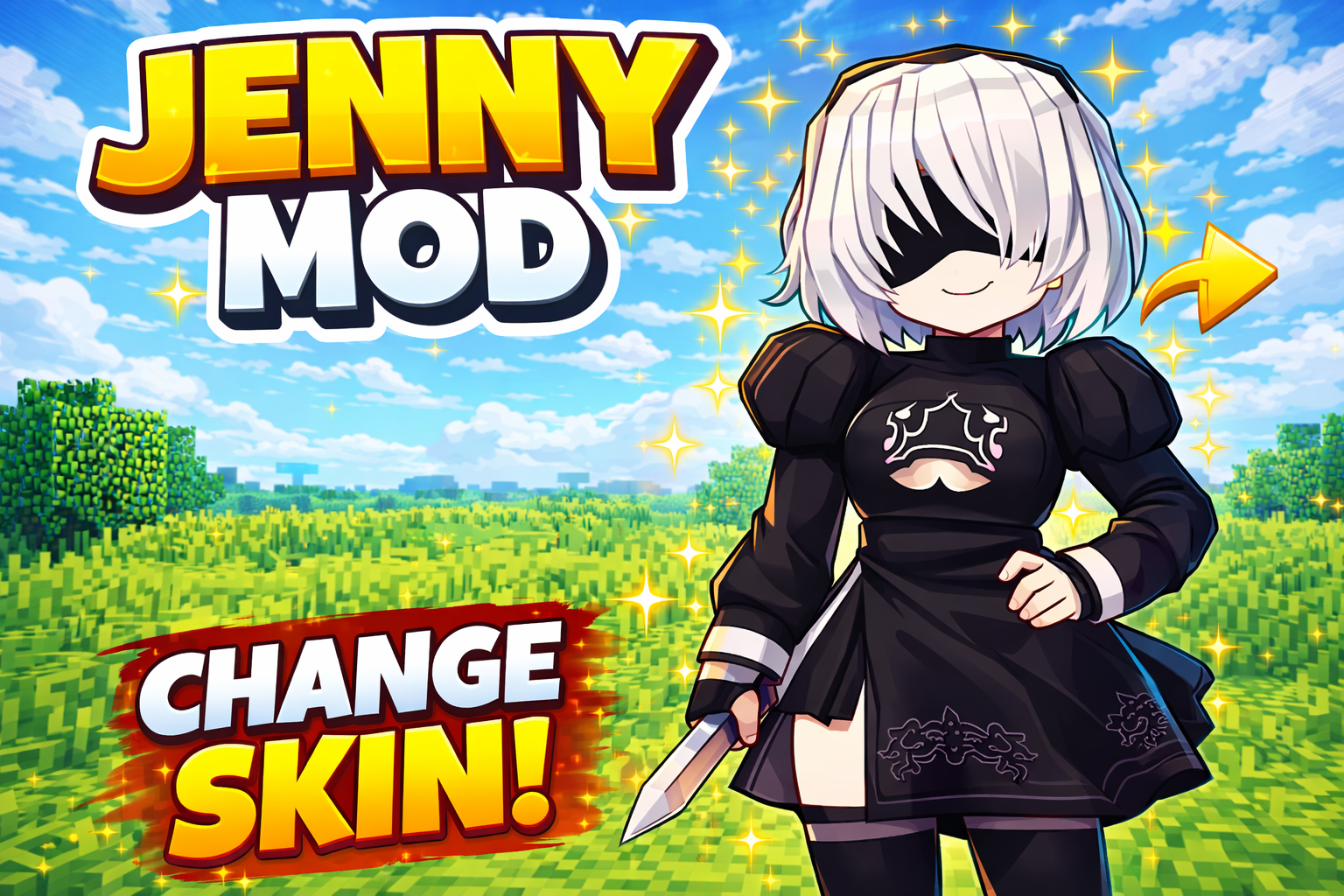
In this tutorial video, you will learn how to change the skin of the Jenny character in Jenny Mod Minecraft quickly and easily. Jenny Mod is one of the most popular Minecraft mods, loved by many players for its unique character customization features and its fresh gameplay experience compared to the original Minecraft version.
How to Change Jenny Mod Character Skin in Minecraft (Step-by-Step Guide)
Changing the skin of a character in Minecraft Jenny Mod works in a very similar way to installing resource packs in Minecraft. The Jenny character’s skin and model are overridden through the game’s resource system, allowing you to replace the old model with a new one easily.
Step-by-Step Guide to Installing a New Jenny Mod Skin
Step 1: Download the Character Skin Model
First, download the Jenny Mod character skin or model file. The file must be in ZIP format to work correctly.
Step 2: Open the Minecraft Resource Pack Folder
Launch Minecraft and go to:Options → Resource Packs → Open Resource Pack Folder
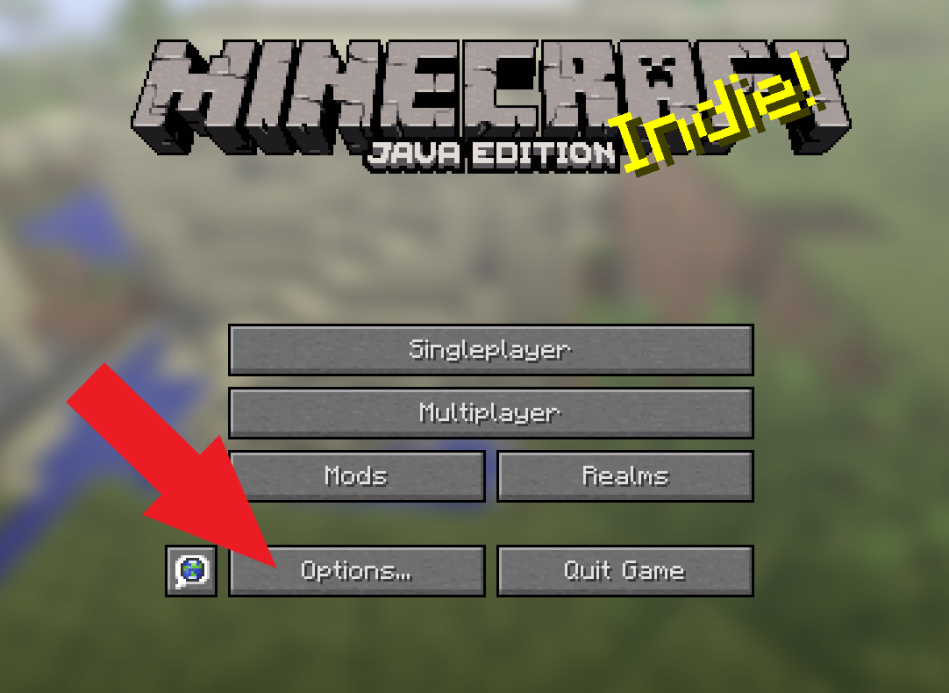
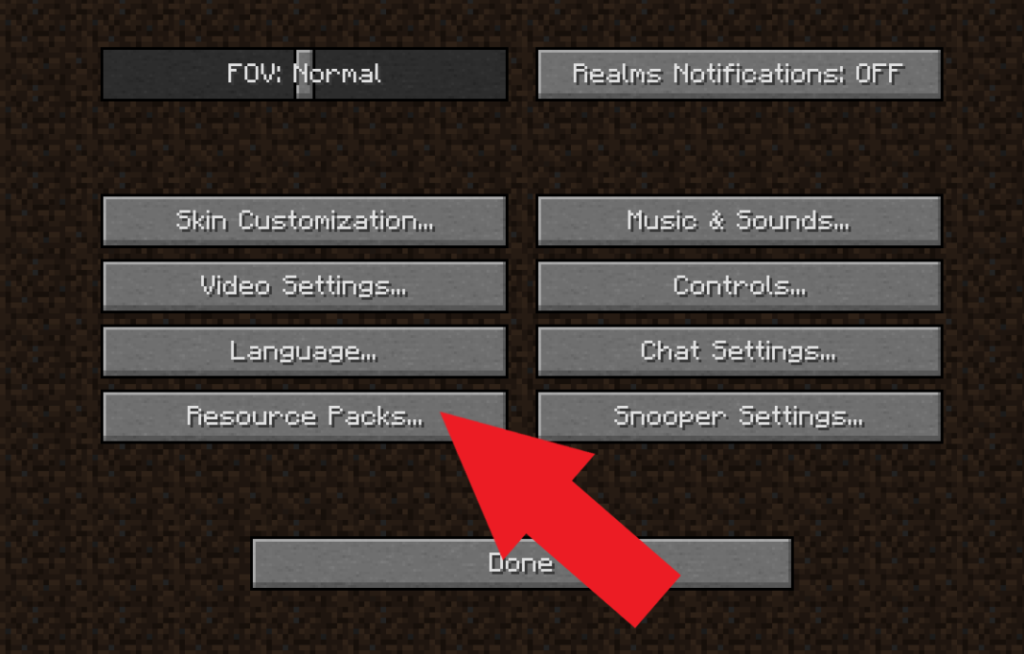
Step 3: Add the Skin Model File
Move or copy the downloaded ZIP skin model file into the resource pack folder.
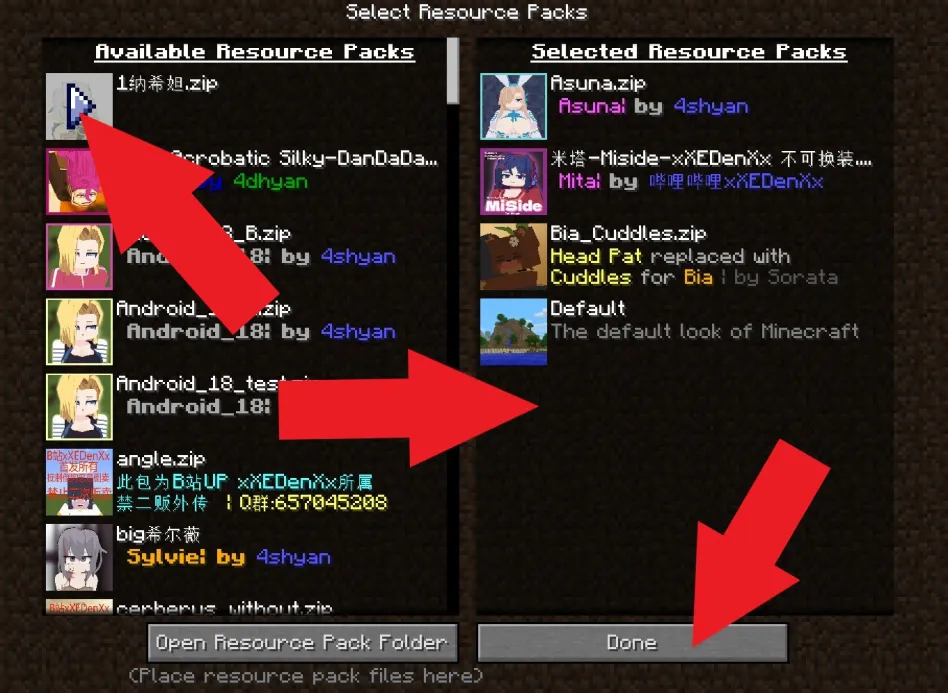
Step 4: Activate the Resource Pack
Return to Minecraft, find the new resource pack in the list, and activate it. Once enabled, it will override the old Jenny character model automatically.
Step 5: Start the Game and Check the Model
Enter your world and verify that the new Jenny Mod skin is applied successfully.
Important Notes
- You must have Jenny Mod installed before applying any skin or model changes.
- Without the mod, the skin model will not function properly.
- The installation process works exactly like the tutorial shown in the video above.
Conclusion
Replacing or upgrading Jenny Mod character skins in Minecraft is simple when done through resource packs. Just download the ZIP model file, place it in the resource folder, enable it in-game, and enjoy a refreshed character appearance.
This method allows you to customize Jenny Mod safely without modifying core game files.
Red Hood Girl in comics DC
ㅇㅇㅇ